From version to live listing. On your schedule.
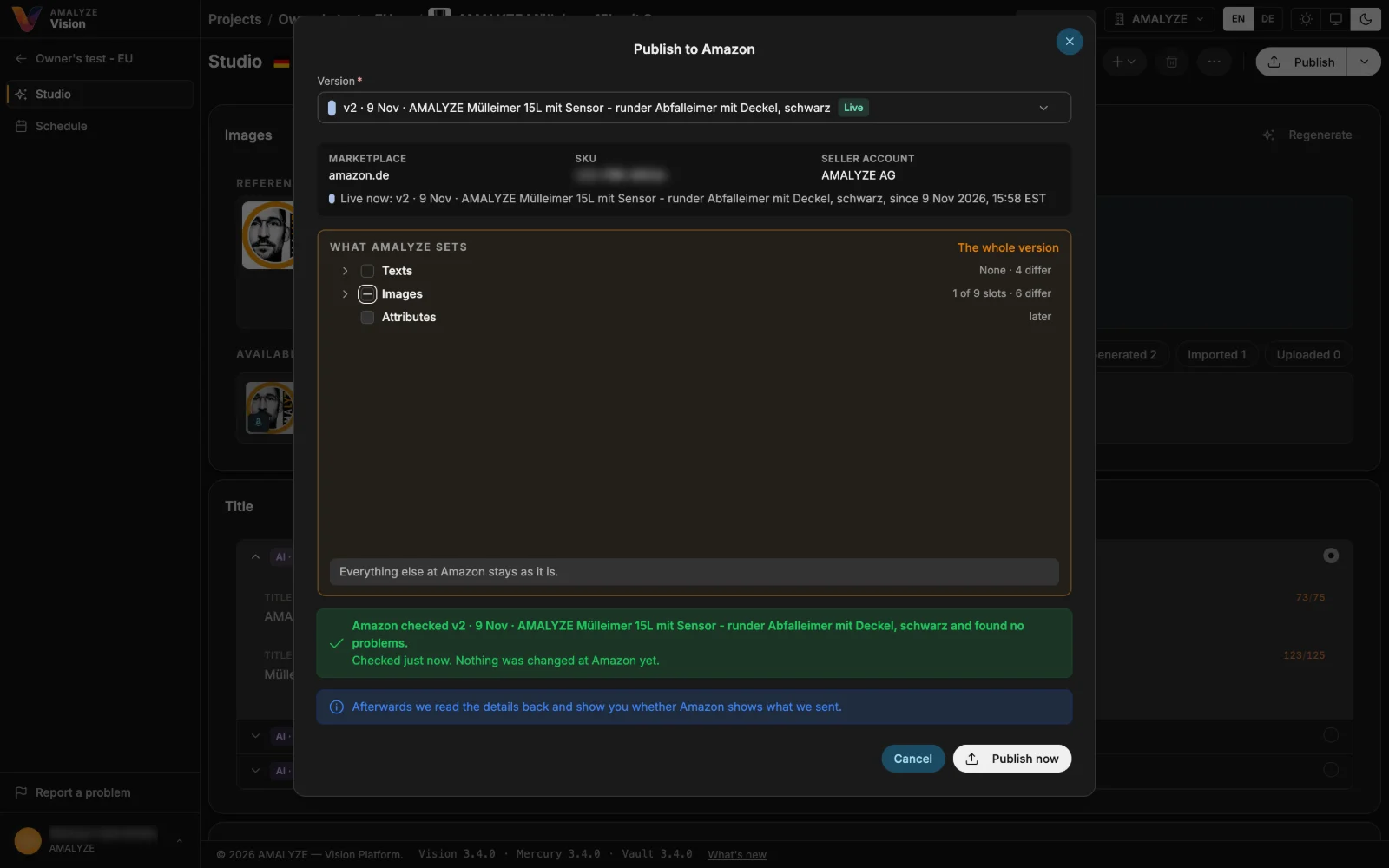
Publish a version of your listing to Amazon right from Listing Studio. Amazon checks it first and names any problems, and “What AMALYZE sets” shows every text, image and attribute as it is on Amazon now and as your version sets it. Afterwards Vision reads the listing back and shows whether Amazon shows what was sent.
Publishing is part of Vision, AMALYZE's next platform. It runs alongside AMALYZE Shield. Vision publishes only your own listings, through the Seller Central account you connected.
01 · Schedule
Plan when a version goes live
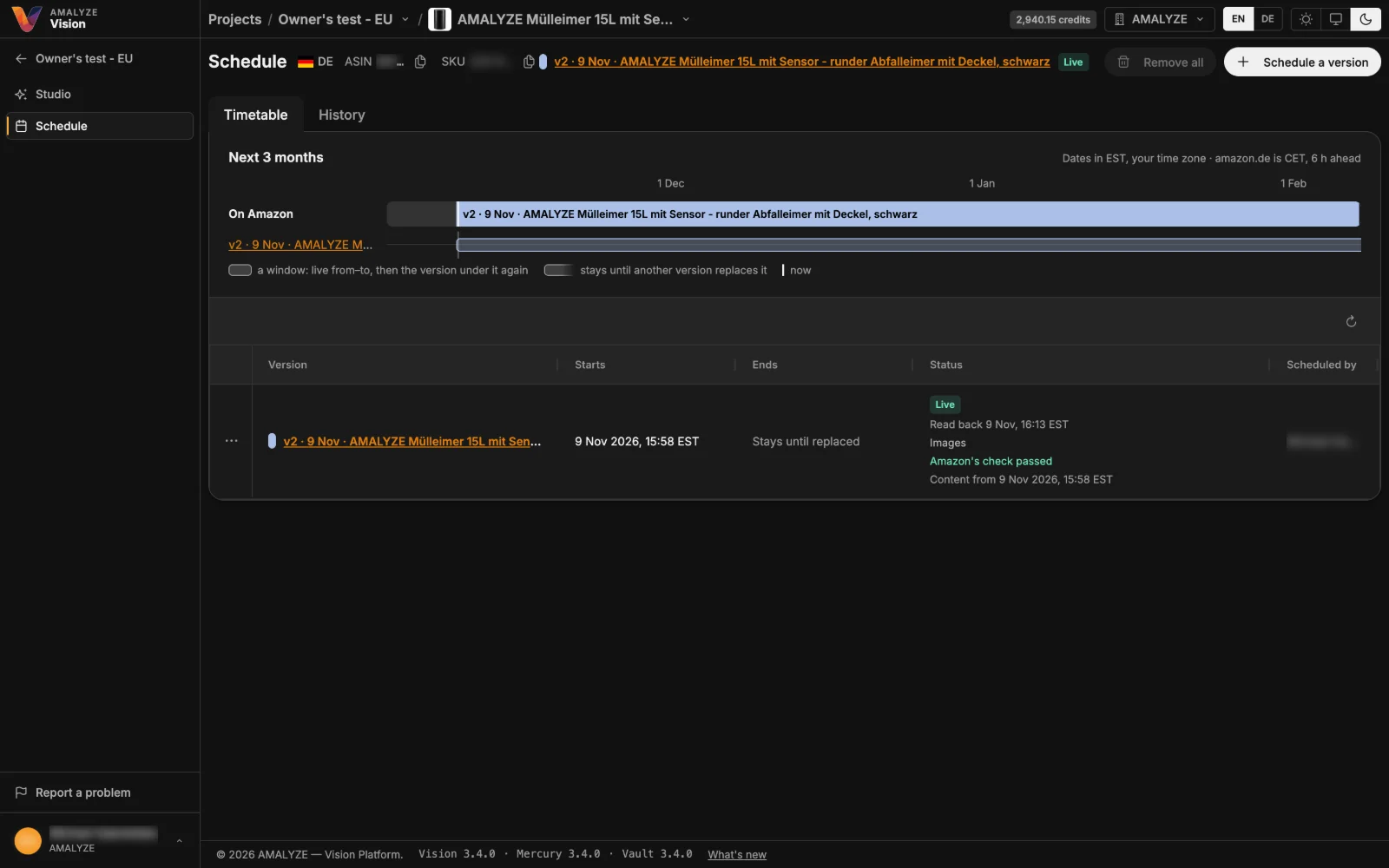
In a listing's timetable, plan which version goes live on Amazon and when – for a set time window or until another version replaces it. Amazon checks the version before you schedule it, the timetable keeps its history, and every time shows in your time zone and the marketplace's. Listing Studio's version menu marks the live version and the scheduled one, with the time it goes live.
02 · Overview
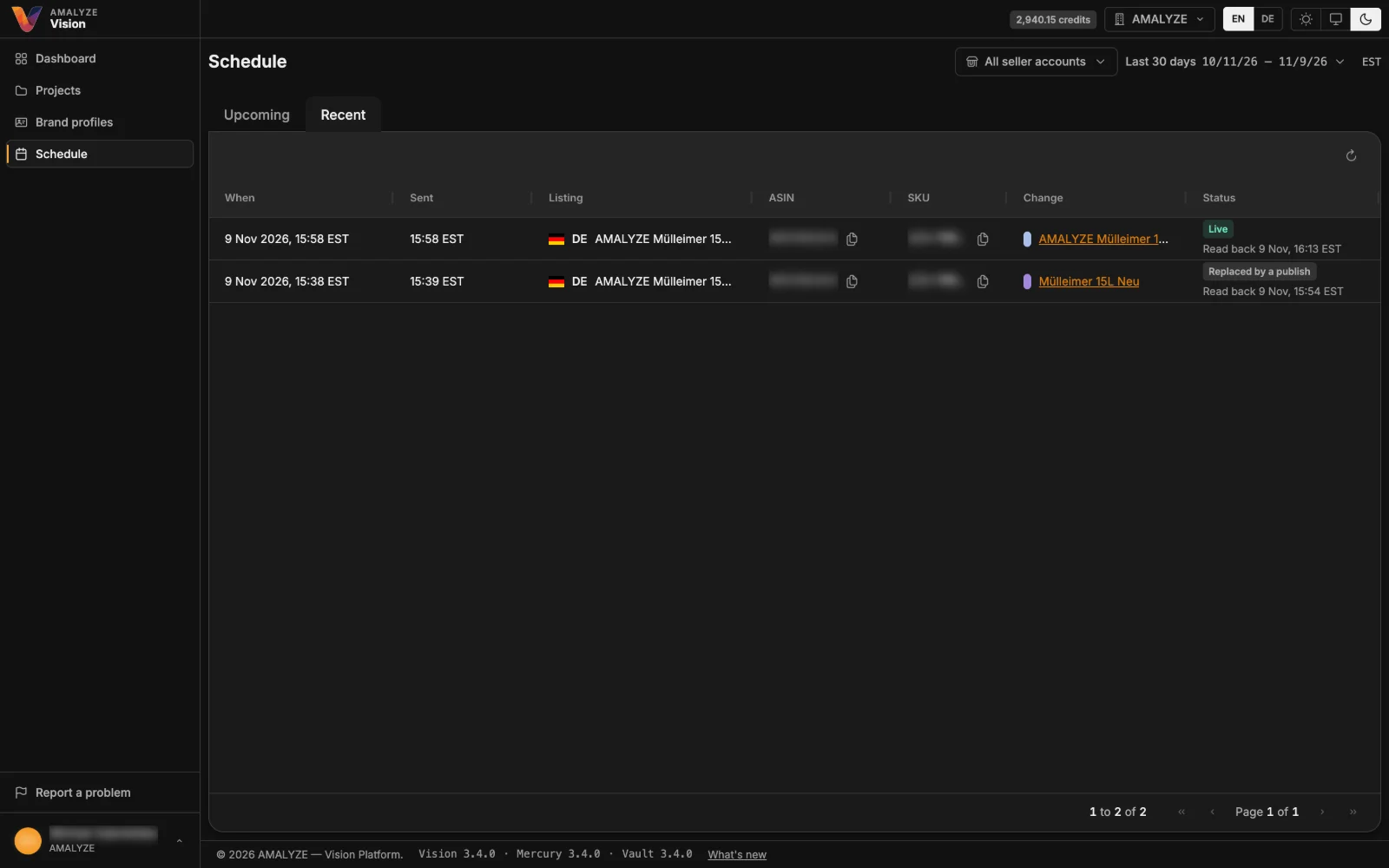
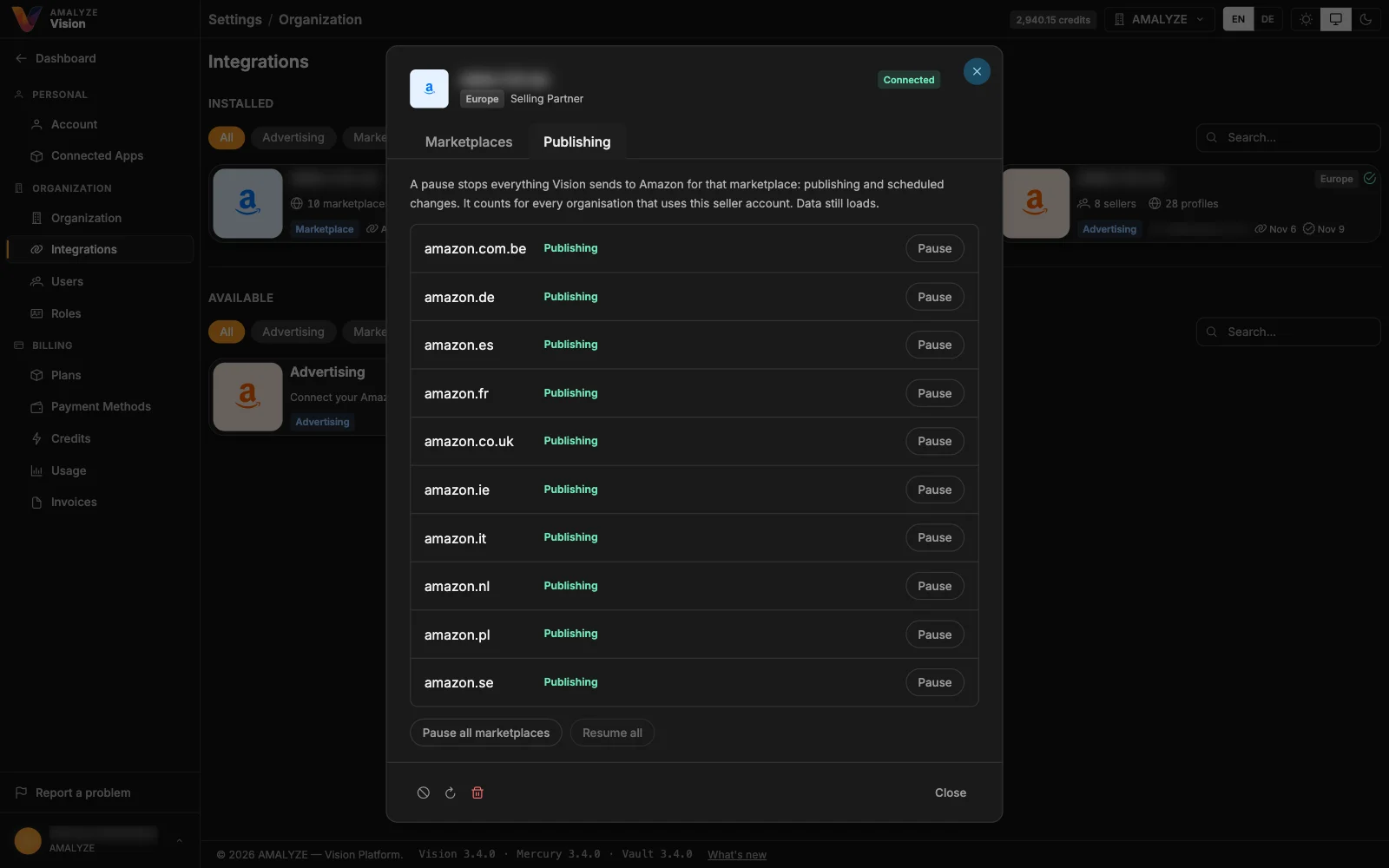
Every change to Amazon in one place
The Schedule page shows under Upcoming what's planned on Amazon across all your listings, and under Recent every change sent to Amazon with its outcome. Search upcoming changes by title, ASIN or SKU, or filter by seller account. Need everything to wait? Pause publishing for a seller account – one marketplace or all at once – and scheduled changes wait until you resume. Everyone sharing the account sees who paused it.